


Rollflame Mobile Access
The Rollflame app is a modern PWA that mixes the convenience of mobile software with the flexibility of a website. It gives our users an easier way to access the platform without any barriers, as well as a better user experience. What’s more, this version is universal across all devices and operating systems, so there are no differences in the functionality or content of our online casino.



Mobile Use at Roll Flame
One of the main advantages of our PWA over native mobile apps is that it is available on any device that people use to surf the internet. If you prefer a classic approach, you can launch the Rollflame Casino app from a computer or laptop. And if you’re away from home and need quick access to our game collection, you can just click a button on your smartphone or tablet home screen.
| Parameter | Rollflame app (PWA) | Native app |
| Installation | No download required | You need to download it from Google Play or the App Store |
| Access method | Via home screen icon | Via installed software |
| Storage | Takes almost no space on your device | Can take up significant storage space |
| Updates | Updates happen automatically | You need to update it through the app store |
| Cross-platform | Works on all devices and OS | Usually needs separate versions for iOS and Android |
| Push notifications | Fully supported across all systems | Available |
| Performance | Works even on older gadgets | Might not run on older devices or outdated OS versions |
So, the Rollflame Casino application offers much more convenience and requires less effort to install or update the app. It’s always available for our clients and up-to-date.
Rollflame App for Android
Android is the most widely used mobile operating system among our players. And also the most diverse: there are thousands of device models with different processors, screens, and firmware versions. That’s why our main priority was to ensure that all features of our mobile version work well on every device.
The Rollflame app runs perfectly even on older Android models: it uses caching to speed up loading, so you can play even with a weak internet connection. And you won’t miss anything important – the software updates automatically without any manual actions and regularly sends push notifications.
How to Install the Mobile Casino Application
You can install the Roll Flame app almost instantly, with no need to download any files. Just follow these simple steps:
- Go to our website on your mobile device.
- On the home page, find the Casino app icon and tap it.
- This will open a window that looks like an app store card – you can take a look at the number of installs and the app rating.
- Select the Install button.
- Wait for the app to finish and make sure the shortcut appears on your home screen.
- Open the app on your device.
Also, you can save your login details, so next time you can access the platform with just one tap.
Rollflame App for iPhone and iPad
iOS users often have limited storage space, which can be a problem when they want to install mobile software. But the Rollflame Casino application doesn’t need an APK installation package: our PWA stores only the bare minimum of data, so it saves a lot of space on your device.
Additionally, you never have to worry about device security: all information is transmitted via HTTPS and encrypted with TLS. That way, our app cannot disrupt your system.
Installing on iOS
If you use an iPhone or iPad, you don’t need a separate version of the app for your operating system because it’s universally compatible. This means that you can install Roll Flame on iOS the same way you would on Android.
Our PWA also relies on service workers for background processing and caching, which supports push notifications. And once you get the Rollflame Casino app, you can always be notified of any changes or updates on our platform.

Roll Flame app on Desktop: Windows and macOS
Our application is available not only on smartphones and tablets, but also on desktop computers. Visually, it is similar to a native program that can be launched from a shortcut on your home screen. But functionally, it is more like a website: the interface is identical, except for one detail – you won’t see an address bar at the top.
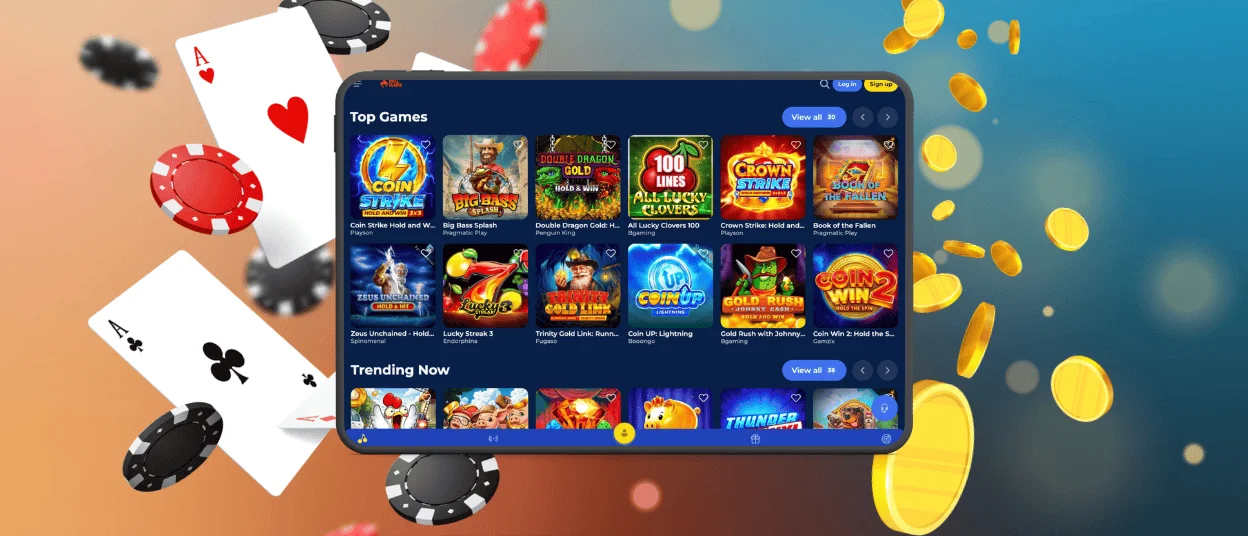
It’s not just the Rollflame Casino interface that’s the same – the content is as well. You can find the full collection of our games organized into the usual categories:
- Top Games
- Trending Now
- New Games
- Online Slots
- Live Games, etc.
And if you need help, clicking the Help Center button will open our Rollflame live chat, where you can ask any questions.

FAQ
Do I need an account to use the Roll Flame app?
You’ll need to register (if you haven’t already) to get the full gaming experience at our online casino and use all the features. Just find the Sign Up button, fill in your details, and complete the verification process – that’s it.
Does the app offer customer support?
Yes, just like our website, the Rollflame Casino application lets you contact our support team. So, you can find the headphone icon and click it. It will open a live chat where you can ask any questions you may have.
How can I update the Roll Flame app?
You don’t need to do it manually – all updates related to functionality, content, or your player status are applied automatically. So you can enjoy our games without worrying about such things.


